Thank you! Your submission has been received!
Oops! Something went wrong while submitting the form.
Thank you! Your submission has been received!
Oops! Something went wrong while submitting the form.


Are you looking for free UI tips for your user interface design? This blog article will help you get off to a good start!Your UI design serves as your right-hand man in amplifying your website functionality. But for your first-time web visitors, it is a maze that is difficult to navigate.A good UI design moves your target audience to hit that call-to-action button. While a bad UI design prompts web users to walk away from your website with frustration. Time is of utmost importance to web users. You don’t want them to leave with a terrible impression of your website.Not everyone is knowledgeable of the UI design system for designing an interface. But we are here to walk you through the best UI design tips and processes for the effective functionality of your website. Apply these design tips and watch your user interaction and retention propel to new heights!
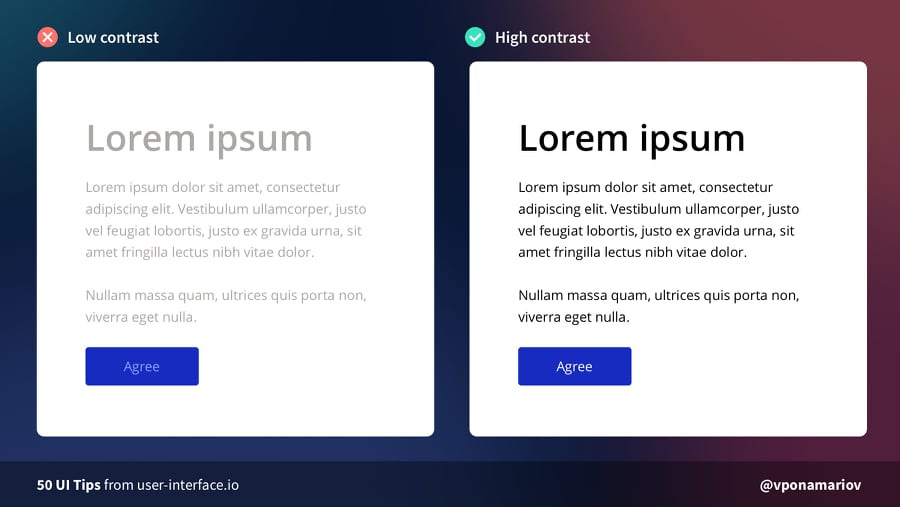
Contrast influences the scannability and visual hierarchy of your web page. Bad color contrast can irritate web users, which leads to low web traffic. The important guideline to remember is interactive elements need to meet a color contrast ratio of 4.5:1.You may visit Web Content Accessibility Guidelines (WCAG) 2.1 for recommendations on the best UI tips in terms of contrast level for your web page.
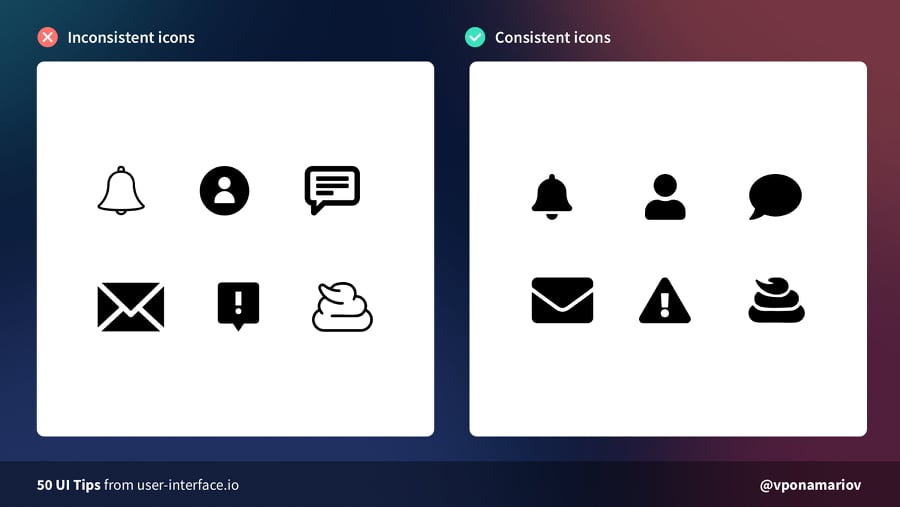
Another best UI tips is optimizing your icons. Icons can cause usability problems if you design them without consideration. To achieve harmony, maintain the same stylistic rules throughout your icons. Icons work great when they share the same style, theme, grid, width, and color palette.
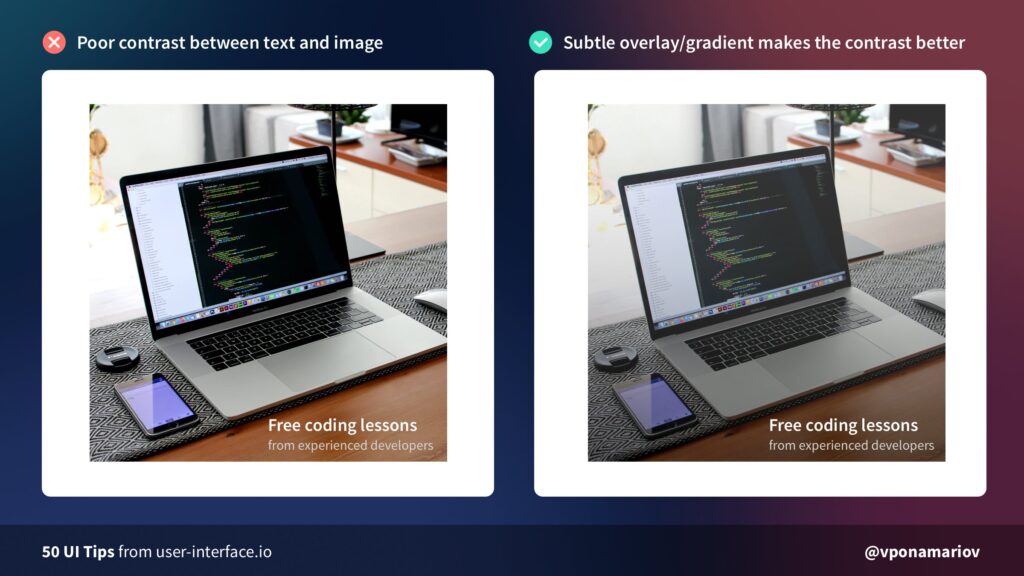
Placing text over an image demands a sense of balance. You need to find visual harmony between these elements. For better contrast, add overlay or gradient on your images. This will make your text legible and readable to your users.
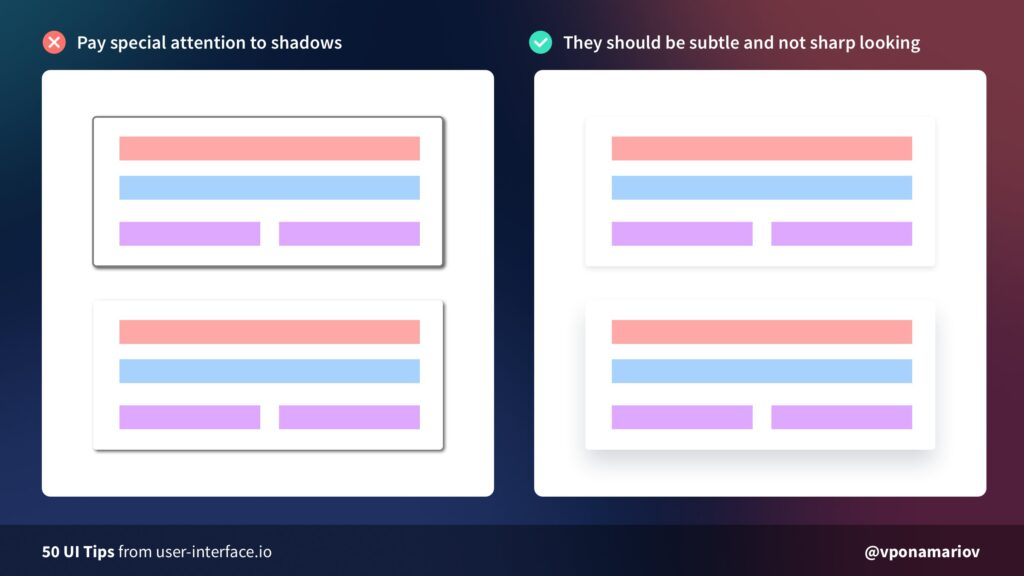
Although easy to implement, shadows can work against you if done incorrectly. Another UI tip is to make it look softer and more natural. You can achieve this by lowering opacity (10–30%) and setting a higher level of blur (16px-40px).
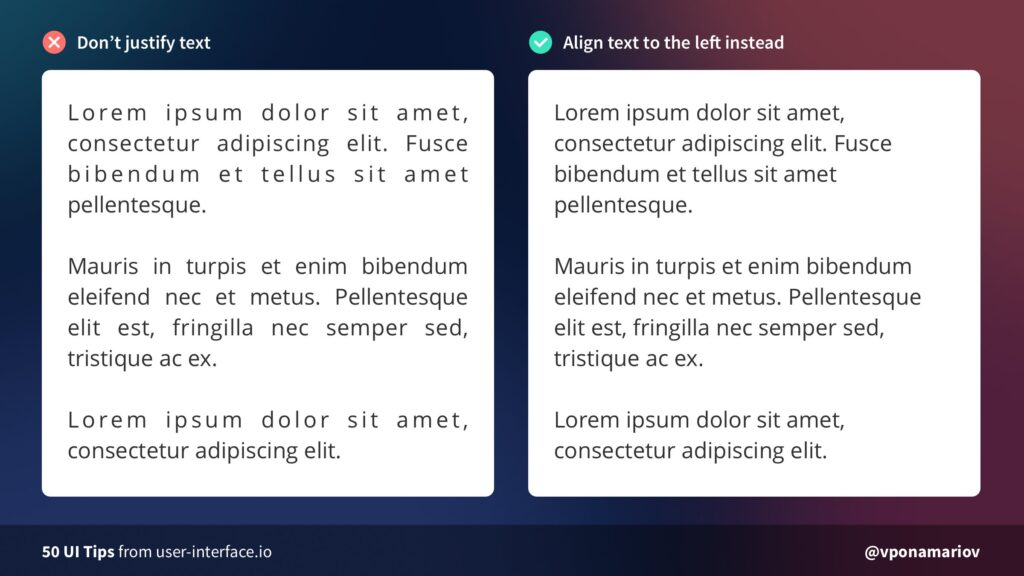
Justified texts are among bad typography habits that scream poor UI design. It is difficult to read for long form content. Also, it creates unnecessary negative space due to extra word spacing.
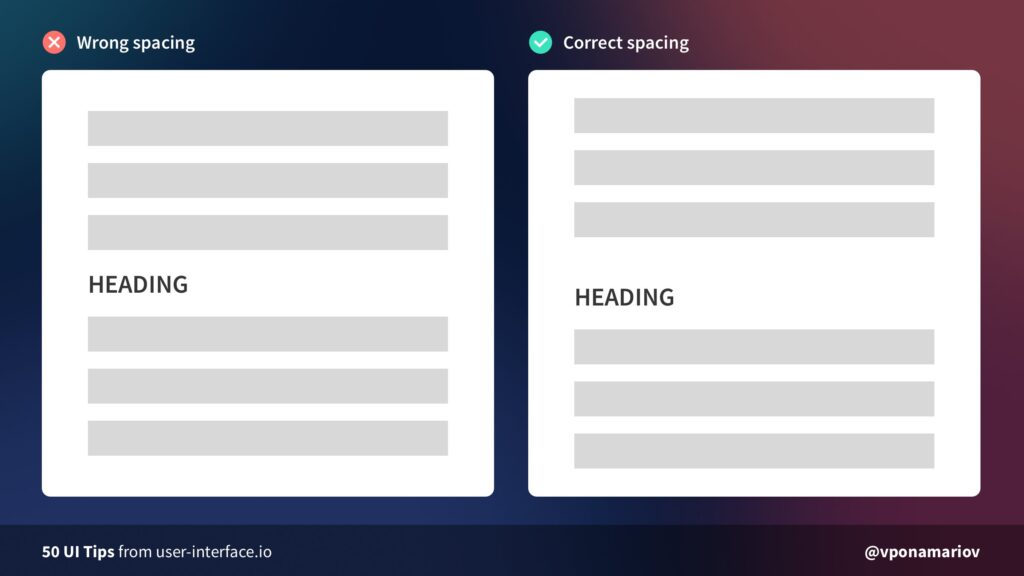
When the clickable area is too small, buttons will not respond until you click on a specific area. Improve this by making the button size larger and closer to its sibling input element.
Another UI tip is working on the line-height multiplicator of your website. Line-height multiplicator defines the readable line spacing for your text. If your font size is big, it’s reasonable to make your line height multiplicator small. If your font size is small, increase your line height multiplicator for better readability.
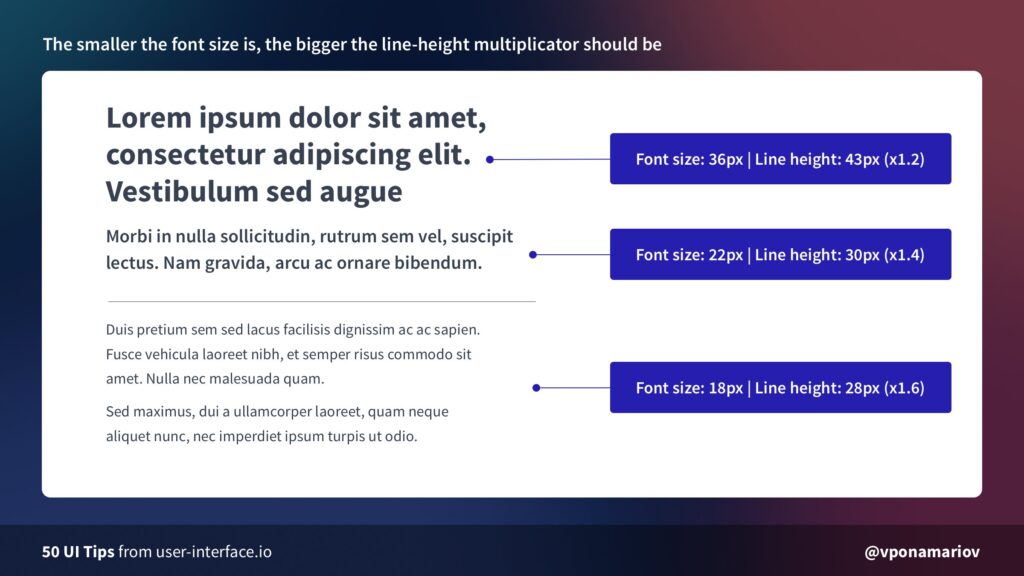
Another UI tip is working on the line-height multiplicator of your website. Line-height multiplicator defines the readable line spacing for your text. If your font size is big, it’s reasonable to make your line height multiplicator small. If your font size is small, increase your line height multiplicator for better readability.
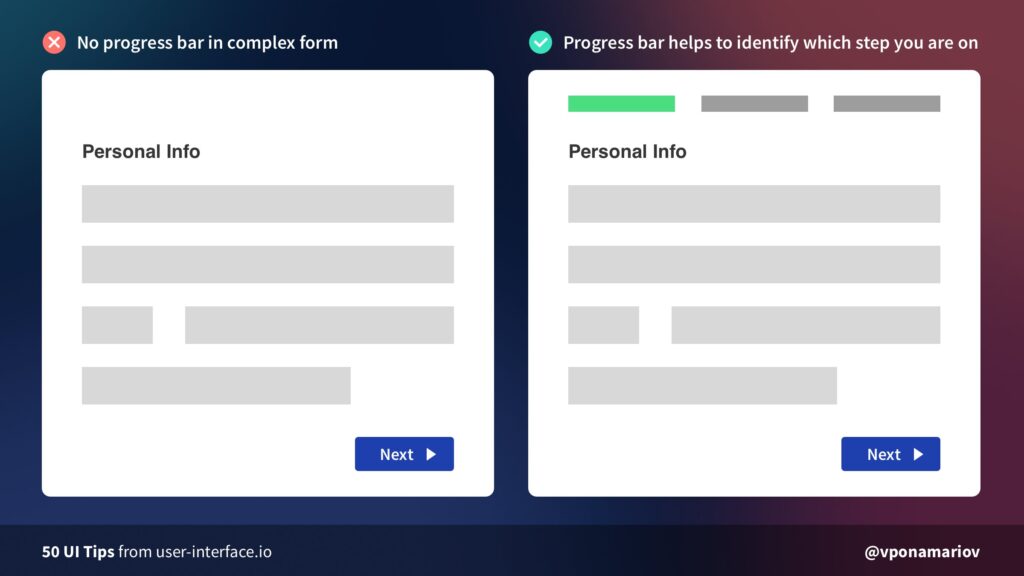
Managing user expectations is a daunting task. Users need progress indicators for any action that consumes their valuable time. For tasks such as completing a form, a progress bar comes in handy.A progress bar guides users on which step they are on and how many steps are left. Showing a progress bar will likely increase the conversion of completing a form.
Our eyes get tired by moving diagonally back down to the bottom and across again. This is this UI tips article explains why Z-pattern designs result in increasing cognitive load. For a better user experience, stick to good alignment: left to right, top to bottom.
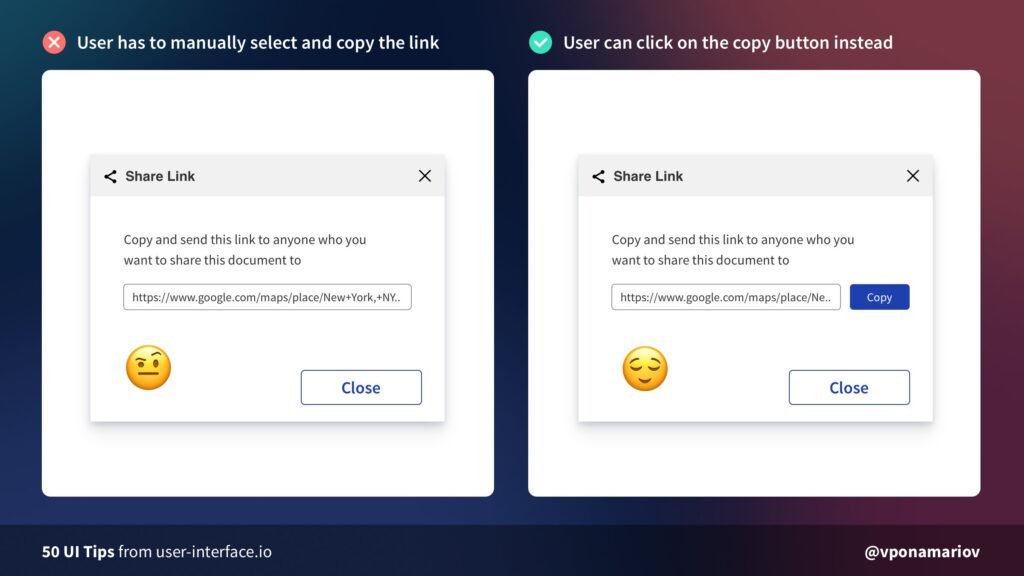
Without the copy button, users do the extra work of copying the link to the clipboard. This is not a friendly-user approach for your first-time website visitors. To cut this manual work, add a copy-on-click button to your interface.
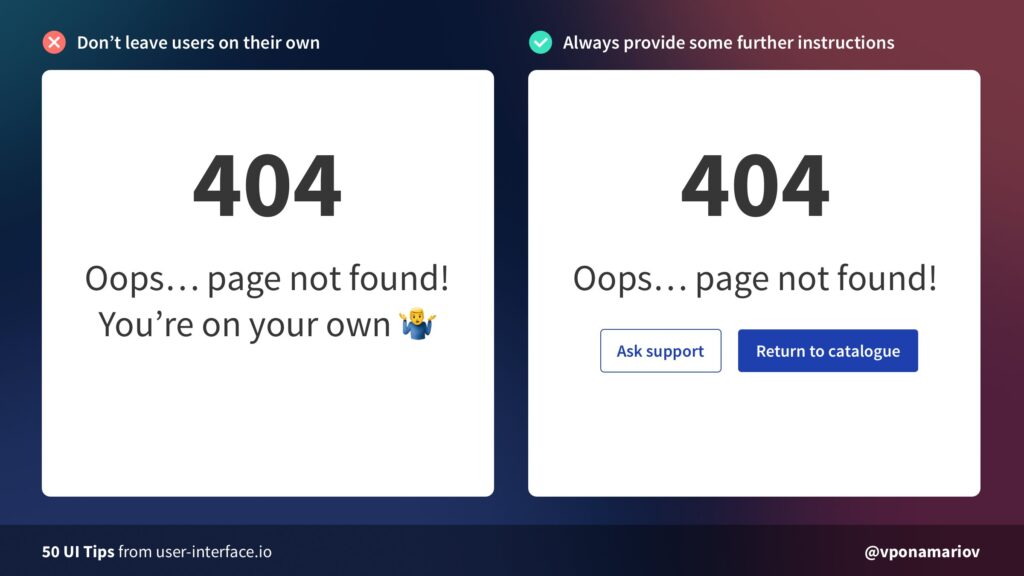
“Oops, page not found!” will not help users to take automatic actions. Don’t leave them on their own. Tell users what to do next, or at least direct them to appropriate actions to deal with the status code.
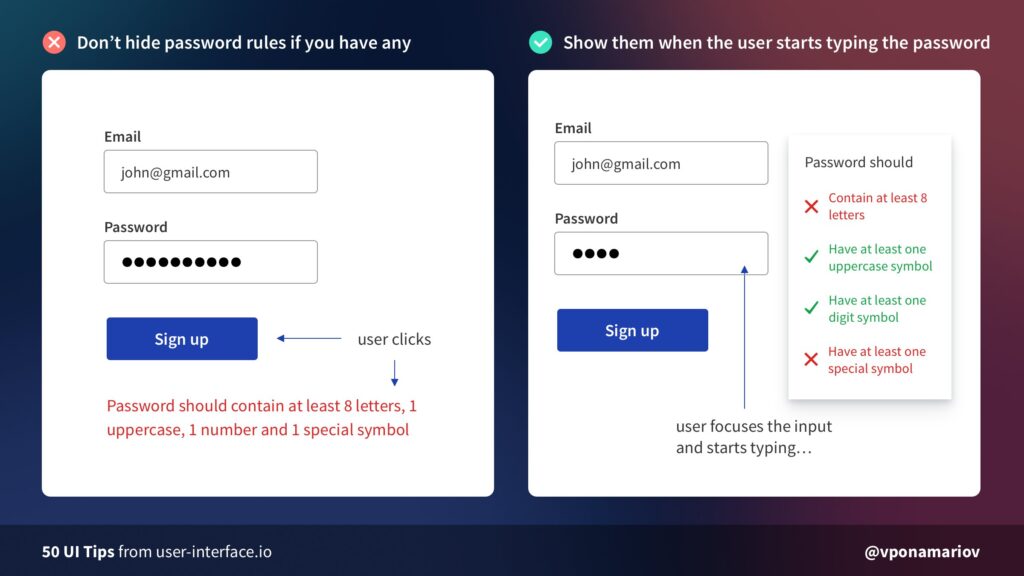
Password creation always requires complex requirements. Too often, users abandon completing a form because they can’t create a strong password. To make users stay on password fields, avoid hiding password rules.Pro-tip: If you have 1-2 password rules, display them somewhere near the input. For complex rules, highlight satisfied rules while the user types his password.
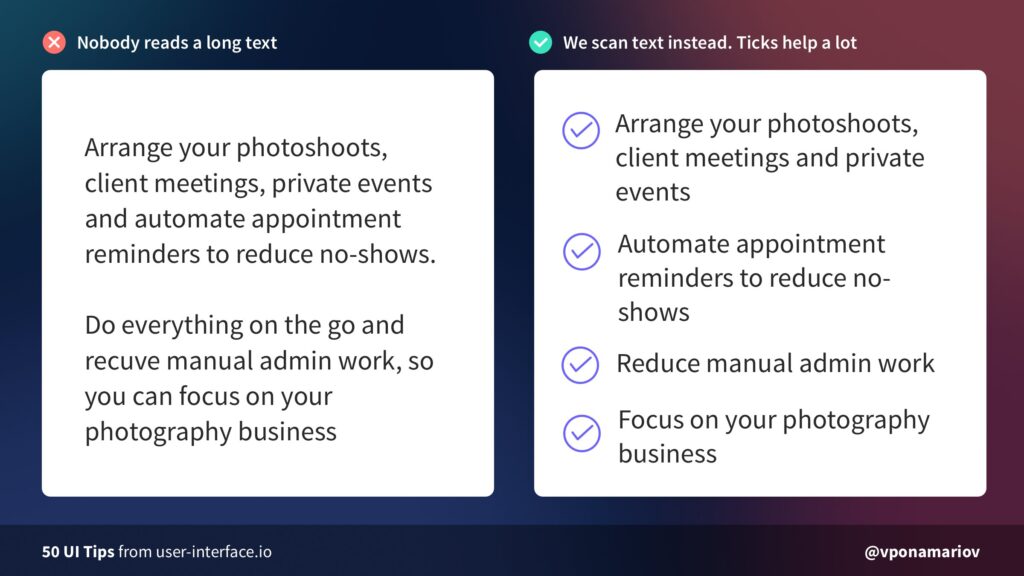
Web users are not a fan of long texts, especially on landing pages. Most of them scroll through only 50-60% of an article page on the web. That said, you should use tick icons to make your page more scannable.
Web users are not a fan of long texts, especially on landing pages. Most of them scroll through only 50-60% of an article page on the web. That said, you should use tick icons to make your page more scannable.
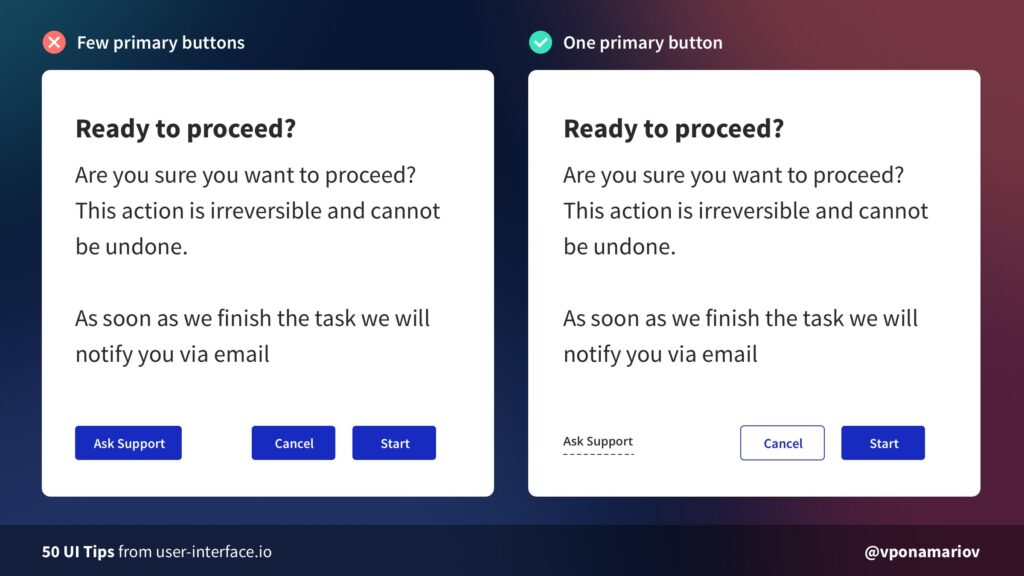
Are you still learning the ropes of designing user interfaces? You can save tons of time and money by outsourcing it to a reliable outsourcing company. Stop creating UI design on a whim. Work with seasoned UI/UX designers for attractive and easy-to-understand user interfaces.Our group of experts keeps tabs on the latest UI trends in the realm of visual design. You can have peace of mind while we maximize your website for effective functionality. Start your outsourcing journey today by clicking the button below!Contact Us


For more than 20 years, we’ve helped numerous businesses grow through our digital outsourcing services. But instead of us just telling you why you should outsource to us, this time, we’re going to let our clients do the talking.
Over the years, I’ve outsourced a lot to KDCI. From customer service to web development, UX/UI, and advertising graphics. They’ve integrated seamlessly into our operations, and they’re a really strong cultural fit.”- Dave Palmer, COO, yogaclub.com
Landing Page Design - Our team of designers knows the best strategies, techniques, and design elements to create high-converting landing pages. We make sure that your landing page design is straightforward so that your customers remain focused on your product/service and CTA.
HTML Email Design - We know how to design emails that catch your recipients’ attention to help increase your conversions. Be it for newsletters, promotional emails, or product announcements, we can handle it. On top of that, we make sure your email design is optimized for both PC and mobile.
Product Photo Editing - We can handle high-volume product photo editing and still meet your deadlines. Be it background removal, material color replacements, or photo enhancement, we can handle it. We know all marketplace guidelines for product photos and adjust them accordingly.
They helped me figure out what I really needed to do. In just a couple of weeks, our website, logos, emails, business cards — all my graphic design work, all custom, and are all great. I really feel like they’re all on deck to help me.”- Robert Kite, President, rskgroup.com
UI & UX Design - Our focus is to ensure functionality and ease of use to compel your audience to take action. We create style-guides and wireframes and test design elements to make sure everything is optimized for UX.
Presentation Design - We help you enhance the story of your presentations through functional design elements that arouse reactions in your audience. We can handle up to 25+ presentations every day to keep up with the fast-paced production of corporate presentations.
Graphic Design - Our proven graphic design services can scale your productions of any design work. Be it for promotional web banners, landing pages, logos, or whatever graphic design asset you need, we can handle it. We’ve handled various industries, from retail, Ecommerce, tech, and everything in between.
Our website, our branding, everything they did looks so amazing. They were able to grow with us with future requirements. Every time we’re back for the next thing, they’re right there for us. They will be a continuous partner moving forward.”- Corey White, CEO, cyvatar.ai
Logo & Branding - We can help you build a strong and appealing visual identity for your business. Our team can encapsulate what your business is about, your values, and how you want to be perceived by your customers. Everything we do is custom-made for you.
Website Design - We are experienced in designing functional websites focused on your goals. Whether for brand awareness, lead generation, or to sell your products, we can design the best possible website for you.
Web Development - We specialize in developing Ecommerce websites through Shopify, Magento, and WooCommerce. Our team can also handle custom website development and integrate payment gateways, ERP systems, inventory management systems, and more.
Outsourcing some of your job functions can help you just as much as we’ve helped our clients. We’d love to have you join them and grow your business with us! If you have any questions or inquiries, feel free to contact us by clicking the button below.

Hitting your goals in Q4 is one of the most stressful and crucial parts of the year — especially this 2020. A completely different holiday season is fast approaching. Companies have been trying to do more with less budget (and people), yet we’re still anxious to end the year strong.Our role as a digital outsourcing company is to ease the pressure and help you hit your numbers. That way, you can focus on other, more essential components of your Q4 plan.
With the numerous upcoming events in Q4, you’ll need to be quick to adjust your branding in terms of design. Your social media, advertising collaterals, promotional emails, and landing page design all have to fit your marketing efforts for every event.We boast our extensive design QA process, as we ensure that all designs require lesser revisions. This makes your process faster and more efficient. You can check out our case studies for the design projects we did for some of our clients.Our Graphic Design services include:
Businesses need to catch up with the growing demand for online presence, especially in Q4. With our help, you don’t have to worry about web development. We can ensure that your website will be up and running before the holiday season begins.If you already have an existing website, we can help you build custom landing pages for your Q4 promotions. Our Development team is equipped with the knowledge and skill in almost all website building platforms, like Shopify, WordPress, and WooCommerce.With our Ecommerce Development service, we can handle:
Whether you’re uploading products on a new website or existing online store, your product photos must always be clean and visible. No matter the industry, be it fashion, real estate, or electronics, we can handle high-volume work for your business.Our team can handle high-volume editing with quick turnaround times. Every member of our team knows all marketplace guidelines and requirements for product photos. We also use the latest tools for background removal, material color replacements, and more.Our Product Photo Editing service includes:
With more products come more descriptions to write for each one. You can also pair this service with Product Photo Editing, as our Content team can adapt to any tone of any brand.Our team of writers is well-versed in copywriting so we can guarantee a compelling copy for your product descriptions. On top of that, our SEO experience allows us to create optimized content for Google, so you can rank higher in search engine results pages.With our Product Description Writing service, you get:
No matter the industry, data entry work is essential. Unfortunately, it’s also quite repetitive.If you’re an online retail business, Q4 means adding more products that need descriptions, product tags, or SKUs. However, this may also mean compiling and sorting data, entering account data from source documents, and encoding handwritten documents.Save time and money with affordable and accurate product data entry. Our data entry experts can handle data enrichment, normalization, and data cleansing so you can easily upload your SKUs whenever you want to.With KDCI, we do more than encode data. We also help you run quality checks, verify data accuracy, and perform other ad hoc tasks. Moreover, we also handle:
These five job roles are only a part of what we can offer you here at KDCI. With us, you don't have to worry about not having enough manpower to conquer your Q4.We’d be happy to answer any of your questions or inquiries! Just fill-up the form or click the button below.Contact Us

There are numerous email types that you can use to target a specific goal or customer type. By knowing what content to send and with the right email template design to back it up, you’ll have a high-converting email strategy at every point in the marketing-sales funnel.
In this article, we’ll show you five of the most effective emails you can send, when to send them, and some tips on creating a proper email template design for each one.
Ideal sending time: immediately or the same day they sign up or purchaseIf you only had one email to send, send a welcome email.According to the Email Marketing Benchmarks published by an email marketing platform called GetResponse, welcome emails have an average open rate of 82%. It’s a huge number compared to the average open rate for all industries, which is between 15% to 20%!Moreover, welcome emails boast an average click-through rate (CTR) of 26.76% — another win over an overall industry average of 2.5%. However, the CTR of your welcome email will depend on your content. That is if you add anything clickable inside the email.So, to take advantage of these high numbers, you should know what needs to be in your welcome email template design.
While your open rate entirely relies on how engaging a subject line is, your CTR depends on both content and email template design. To show you what an excellent welcome email looks like, here are some samples from Trello, SEMrush, and LastPass:Trello

SEMrush

LastPass

With these examples, there are five common elements you should use:
Even before your customer reads the content of your email, integrating your branding into your welcome email template design will immediately show your readers who it’s from.Like Trello and SEMrush did, adding something as simple as a logo or incorporating your brand colors should be alright.
Since this is your first interaction with your customer, greeting content is a must. You can use a large header as LastPass and SEMrush did, or something personal yet straightforward like Trello’s.If you don’t have an email marketing tool yet, you can always write content that sounds like you’re talking to your reader. Using “you” and “your” can come a long way. In fact, personalized emails are 5.7 times more likely to drive revenue.For online businesses that don’t have a newsletter signup strategy, you can still use a welcome email for first-time purchases. You can also automate your email to mention what they purchased and add recommendations to your content.
While your welcome email can only be a simple greeting, you can take it to the next level by telling your customers what to do next. It can be something like confirming their email, reading your article, following your social media, adding you to their contact list, and more.The number of things you can make them do is limitless, but it should always cater to your overall email strategy. You can only make them confirm their email address like what SEMrush did, or help them get started, like what Trello and LastPass did.
While you can make your customers do a lot of things using your welcome email, always use a CTA button that coincides with the primary goal of your welcome email. Trello, for example, used “Go To My Boards” as their CTA text because their main goal is for the user to open their tool.In terms of CTA button placement, it will depend on your priority action. For LastPass, their priority is for their customers to download their browser extension or mobile app.On the other hand, Trello placed theirs on top of links to their “getting started” articles because most of their users probably already know how to use a project management tool. Hence, their goal is to make the user visit their Trello board and use the tool immediately.
An unsubscribe button or link text is a mandatory addition to any email you send according to the CAN-SPAM Act of 2003.
Ideal sending time: Tuesday-Friday at 10 AM-1 PM (may vary), 1-5 times a weekNewsletters are a great way to keep your customers updated with whatever they want them to know. It could be for articles you recently posted or updates on some products they might be interested in.However, aside from sending relevant information, the time and day you submit your newsletters are crucial factors.According to the same study by GetResponse, there are two general time slots you can target: 10 AM and 1 PM.Although, as you grow your subscribers’ list and email strategy, we recommend you to optimize your sending time and day based on your own data. You can use surveys, A/B testing, or preference centers to find the best one.Now for frequency per week, GetResponse found that one newsletter per week is the best choice — with an average of 33.40% open rate and 4.65% CTR.You can get away with five newsletters per week — with an average of 20.39% open rate and 2.84% CTR — but it goes downhill from there.

Now that you know about the ideal time, day, and frequency for your newsletters, let’s move on to email template design.
For starters, image-based newsletters perform better than text-based emails. Newsletters with graphics had an average 24.64% open rate and 3.74% CTR, while text-based types had a 16.28% open rate and 2.74% CTR.These numbers show that it’s essential to use images or graphics in your newsletter design to keep your customers interested. Here are some examples of good newsletter designs from Starbucks, PayPal, and Canva.Starbucks

PayPal

Canva

Now, there are four best practices you can follow for your newsletter template design:
The best newsletters know how to direct the focus of their readers using leading elements and other graphic design techniques.Starbucks did a pretty good job of leading their subscribers to read further with a subtle arrow pointing downwards after every section of their content.
If there’s anything that can catch your attention more than great graphic design, it’s animation. Luckily, you can easily embed GIFs and videos to any email as long as you can create a custom HTML or have an email marketing tool.You can place it anywhere you like. Starbucks used its GIF at the very end of the message and paired it with a prominent CTA button to lead-in readers who still had questions about their update.
One of the essential things in creating a newsletter is knowing how to make your content flow, so it’s more readable.Starbucks used typography and images to break their content. PayPal used graphics and variations in the face and size of the same font style. Hence, the easiest way to do this is by breaking your text into small chunks using graphics and other design elements.
While you might feel like cutting-down on words feels like it beats the purpose of sending out a newsletter, think again. Sometimes, the best way to sell something is to say less.Kind of like what Canva did on their newsletter. Simple content, “click on the template and start designing,” and the rest of the email pretty much just speaks for itself.If you’re an online retailer, you can use Canva’s example to sell some products using recommendations. Try to find out what your customers might be interested in, like the top 10 products of the week.
Ideal sending time: Tuesdays, between 10 AM to 2 PM (may vary)There are numerous types of announcement emails a business can send:
With these variations, the ideal time to send these emails may also vary. Business updates can be posted on the same day you made the change since your only goal is to inform.Meanwhile, promotions, special offers, or sales can still have good CTR even on “dead” email days like Friday and the weekends. This is because promotions can adapt to an event like Black Friday or the 4th of July, or a new season like the holidays.However, if you’re new to email marketing, you can always follow the overall industry standard of sending all your announcement emails on Tuesdays between 10 AM to 2 PM. As you grow, you can experiment on days and times to find your best fit.
The purpose of any type of announcement email is to catch the attention of its readers and compel them to take action. Be it to purchase, sign up, or attend an event. Your announcement email template design must have emphasis and urgency without being in-your-face. This is where the advantages of email marketing truly shine, allowing brands to deliver timely, action-driven messages directly to engaged audiences.Here are some examples of excellent announcement email template designs:Reel Paper

Spotify

Avast!

Seeing these beautifully crafted email designs, you can see three elements that make an effective announcement email design:
The main KPI of every announcement email is the CTR. Therefore, you have to make sure that your time-sensitive content is clear.There are numerous ways to create urgency using design. You can use a prominent CTA, use larger text for deadlines, or simply use a bold font face.Avast!, for example, immediately points out the end of their sale in their header. Followed by even more emphasized content like, “Act fast and snag,” “For a limited time: 60% off!” and a clear depiction of their discount right at the end.
The hero image is the first thing you see when you open an announcement email since humans perceive and process visual information better. In fact, 80% of what people remember are images, and only 20% are text.Therefore, your hero image or graphic must depict a clear picture of what the email is about. Spotify and Avast! are examples of the proper use of hero images.Spotify’s event announcement email is about Michelle Obama’s podcast, hence her photo is placed front and center. Meanwhile, Avast!’s graphic clearly shows a percent sign and an exclamation point, which you can immediately tell that it’s about a time-sensitive discount.Tip: use animations or GIFs for that extra flare.
Regardless of the type of announcement email, every critical detail must be precise. If anything, it should be that first thing customers see when they open the email.If you’re designing a promotional announcement, make sure you highlight discounts, promo codes, or free shipping.For seasonal or event emails like what Reel Paper did, make it clear that it is about this thing you’re doing for the season or occasion. See how they also used short content, showing only the essential details of their promotion so that they don’t overwhelm with too much information.
Ideal sending time: after 1 hour from cart abandonmentCart abandonment is one of the main problems online stores have to deal with. In fact, the average industry abandonment rate is a staggering 69%! However, it’s also the easiest hurdle to cross because of abandoned cart emails.According to Moosend, one of the most cost-effective email marketing platforms, abandoned cart emails have an average open rate of 45%, 21% CTR, and 10.7% conversion rate.So, when’s the best time to send abandonment emails? After an hour.A study by SaleCycle, a sales solutions company, found that the average conversion rate of abandoned cart emails sent after an hour is 6.33%.

Image credit: SaleCycle With these numbers, you can rest assured an abandoned cart email campaign can improve conversions. It now all comes down to how you create your email template design.
Since abandoned cart emails fall under the intent stage of the sales funnel, it’s going to rely heavily on a persuasive copy. An email template design can come a long way if you know how to use it to make your content pop.Here are some examples of impressive abandoned cart email designs:Zalora

Brooklinen

Tus

Your CTA buttons don’t have to be big, but they have to be seen immediately, so you always have to place them in the upper section of the email.In terms of content, you’ll notice that none of these examples used the words “buy” or “pay.” Remember that you’re still in the intent stage of the sales funnel, so these customers may not be ready to purchase your product.
Since the goal of the campaign is to make your customers buy whatever’s in their cart, what better way to persuade them than showing them what they left.You have two options:1. Choose one product and use that as your hero image2. Use complete cart detailsFor option 1, choose the best-selling or highest-rated product in their cart, since it has already converted well from other customers. Meanwhile, option 2 can target other possible products they want better if option 1 doesn’t work.The best way to find out which of the two options work best is to A/B test your email.
Customer reviews can influence 88% of consumers, so don’t hesitate to add at least one. Brooklinen does an excellent job of using reviews to persuade customers to buy their product if the promotion isn’t enough.Meanwhile, adding recommendations or related products can target customers who might want something else that isn’t in their cart. These could be cheaper options or other items that go well with the main product like what Zalora does.
Ideal sending time: depends on products and order frequencyReorder, or Replenishment emails are one of the most effective email marketing campaigns for Ecommerce businesses.According to Ometria, a customer marketing platform for retail stores, the average open rate of replenishment emails is between 50% to 60% and an average CTR of 40% to 50%.The reason behind these numbers is replenishment emails are incredibly relevant and timely. However, timing is the trickiest part of sending out this type of email.The effectiveness of replenishment emails comes down to strategic timing, which will depend on the product you’re selling and how often each customer orders your product (or products).For perishable or consumable products like food and cosmetics, you can base timings on the shelf life of whatever product they ordered. For other businesses, especially for subscriptions and trials, your content can be a simple reminder email a few days before it ends.
Replenishment email template design is pretty straightforward since you’re already sending it to a possible repeat customer and loyal customers. Here are some examples of replenishment emails from Erno Laszlo, Avast!, and PetShopBoy:Erno Laszlo

Avast!

PetShopBoy

These three are very different replenishment emails, but there are also three elements that you can take from them:
Of course, to keep your replenishment email template design relevant, you have to highlight the products or services they already ordered.Position the product image in the upper area of the email like Erno Laszlo did.On the other hand, PetShopBoy does a great job designing a simple, yet straightforward email template. However, one improvement is changing the image of the dog into something more relevant to what the customer ordered.
Since you’re creating a replenishment email, you must use a clear CTA button with a straightforward text. Your customers already know what they’re purchasing, so a simple “renew today” or “reorder now” is good enough.However, you can also add another CTA button that gives the customer an option to change or add something to their order. This is an excellent way to sell more products if you’re sending it to a loyal customer.
Replenishment emails may also be a part of your customer nurturing strategy to build long-term relationships with your customers. Therefore, highlighting discounts or promotions like free shipping can increase your chances of a reorder or replenishment.
There are more email types that you can send to your customers, especially when your email marketing strategy is starting to grow. However, no matter how simple or complex your email strategy is, you’re going to need someone to help you with your email template design.KDCI Outsourcing is an expert in email template design for any business in various industries. If you want a successful email strategy, outsource your email design and production to us! Find out more about our Ecommerce services here, or click the button below for a quote or other inquiries.Ask a Question

As a startup owner, are you struggling with leaving an impression on your target audience's minds?In this guide, we'll show you how to create a brand identity—one that will keep echoing your brand.But first, let's define brand identity.
Marketing has so many industry-specific terms that people often get their meanings interchanged. A couple of these is brand and brand identity. Before we talk about how to create a brand identity, let's differentiate these two terms.
In essence, a brand is intangible, while brand identity is tangible. A brand defines how your audience perceives your business. You can shape your brand through various branding activities, from designing a user-friendly product page to training hospitable customer service representatives. Must-Read: How to Make Your Brand Stand Out with Online Branding Your brand creates a promise to your audience. And by keeping that promise, you can turn them into loyal customers who know what to expect from your business. On the other hand, brand identity makes up the tangible assets of your brand. It focuses on what your audience can see, touch, hear, or even smell. By forming your brand's look and feel, it can generate brand recognition among your audience and create differentiation from your competitors. Take for example Apple—the most valuable brand in the world.
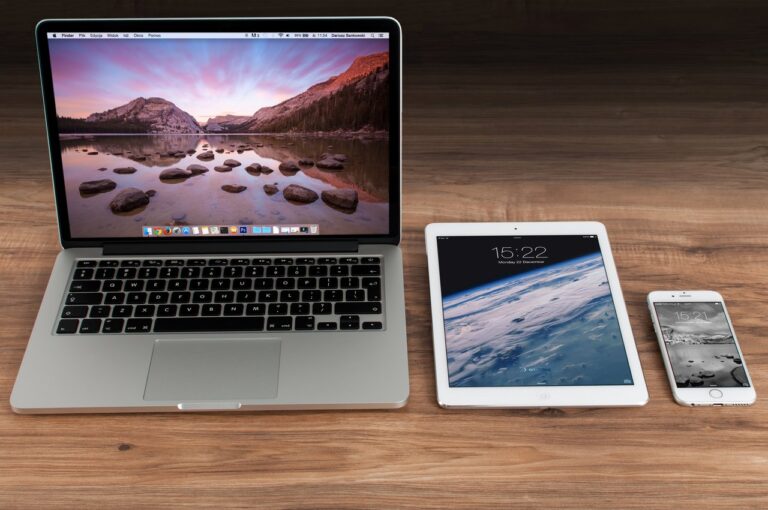
The brand focuses on emotions, particularly positive feelings. It always puts user experience first, resulting in products and services that make customers feel good. Meanwhile, its brand identity is most recognizable through its logo. Plus, its products have the familiar sleek designs, creating the impression that the brand is one-of-a-kind and innovative. Through these branding efforts, it's no wonder Apple became the world's most valuable brand.
Your brand identity covers more than your logo—it's also your color palette, website, typography, and other supporting graphics.With these elements, you can illustrate a particular image in your customers' minds, which they'll associate with your product or service.When you learn how to create a brand identity, you hold the power of forging how your audience sees your brand.It's why you need to go all out when creating one. Every element must be consistent with your brand and your overall business goals.
For startups, a brand identity is a crucial asset.When your marketing, design, and messaging are aligned, you can have a consistent identity that will fuel brand recognition among your audience.And once they put your brand first, you're on your way to becoming a successful business.Doesn't that sound appealing?So, here's a nine-step process on how to create a brand identity for your startup.
Before you get your brand out to your market, the first in your to-do list must be to identify your mission—the "why" of your business. Your mission provides an answer to, "Why does my business exist?" By defining your goals, your mission becomes the starting point for everything that you bring to your audience. Another element that holds a key role in your internal analysis is your values as a business. Values humanize your brand. An audience can easily relate to a brand that reflects their values and incorporates these to their marketing, products, services, and even customer service staff. To get to know your business better, conduct a SWOT analysis—a planning technique where you identify your strengths (S), weaknesses (W), opportunities (O), and threats (T).Through this analysis, you can develop brand values and a mission that considers these factors.
By now, you must have an idea of the audience that you want to turn into your customers.After you identify your mission and brand values, defining your target audience comes next.You can start by conducting market research.Surveys let you gather information from a chunk of your audience. Interviews and focus groups are also a good option if you want a closer look at smaller sample size.Moreover, based on your market research, you can also create buyer personas.They represent a group of your audience, defining their traits and demographics to help you see what kind of personality your brand must have to appeal to them.Through these methods, you'll have a deep understanding of your target market.HubSpot has a simple MakeMyPersona tool that you can use to craft your buyer personas.
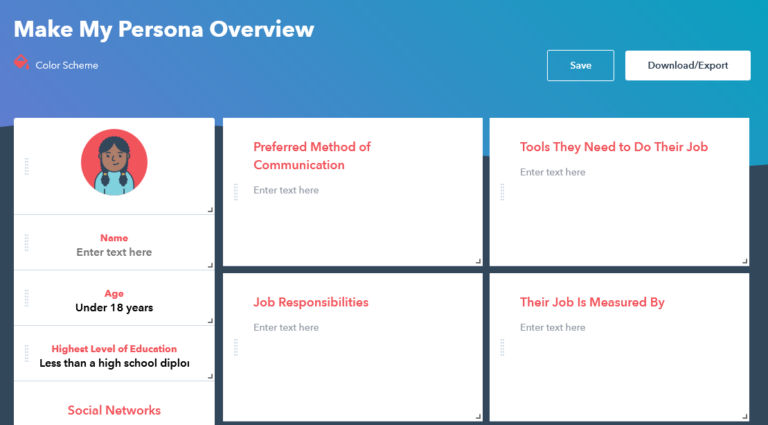
After you learn about their needs and challenges, make every decision about your brand with your audience in mind.
Studying your competition is the third step on how to create a brand identity.A competitive analysis allows you to learn the activities of your competitors. It can clue you in on how to differentiate your brand from their positioning.A lack of understanding of your competitive landscape may prevent your brand from standing out. When conducting a competitor analysis, look out for the following:
These items can show how your brand compares to your competitors'.Using them as a reference, you can determine which strategies to implement to boost your brand's presence, relevancy, and uniqueness.Plus, you can see gaps in the market, allowing you to take advantage of new opportunities that your competitors haven't done.
This is where the results of your market research and competitor analysis come together.A unique selling proposition (USP) indicates three things:
By determining what you can offer to your customers that others can't, you can establish your positioning in the market.A USP doesn't need to be complicated—all it needs is to be clear and reflective of your mission and values.Start with your customers by identifying what they care about. In doing so, take into consideration your resources.You can then form your USP by establishing which customer concern you can address and solve with your resources.Check out WordStream's "How to Write a Ferocious Unique Selling Proposition" for a more in-depth guide on creating a strong USP.
A brand personality consists of the characteristics attributed to your brand.Embodying all the good qualities sounds like the best option. However, that isn't ideal.Your audience must find you relatable.Being likable is sufficient for your brand personality, primarily if it reflects your brand values. The key is to build a consistent perception, not a perfect one.It can affect the tone and voice in your marketing collaterals and other communication materials. Plus, in the long-run, it can help you form an emotional connection with your customers.Start with how your brand communicates with your audience. Even your language can show the kind of personality you want to project.
The look and voice of your brand make up your creative assets.Take your findings from your internal audit, market research, and competitor analysis and consider them when developing your creative assets—these must be recognizable to your brand.With that said, here are the essential elements of brand identity:
First impressions last, even longer if you have a great brand name.According to Michael Rader, founder of Brandroot, a brand name allows a business to associate its brand with positive connotations.Therefore, brand name plays a huge role in your business.So, when creating one, take note of the following tips:
Originality is not the only key to standing out, but it sure is an ingredient to boosting your brand. Plus, in this digital age, an original brand name is helpful when registering domains and generating social media pages.
A long and complicated brand name is a big no-no—being understood matters more.A simple brand name is less challenging to pronounce, and it can easily project your brand's mission and values.
What's the point of having a brand name if your audience quickly forgets it? A brand name must appeal to your audience by conveying emotions. That way, they can easily connect those emotions to your brand. And when you satisfy your customers, your memorable brand name allows them to have an easier time when doing word-of-mouth marketing. Pro Tip: A slogan comes hand-in-hand with a brand name. It's a short and catchy phrase that your marketing materials can feature to announce your brand's promise to your customers.
Pictures speak a thousand words, and logos are a striking proof of that.As your central visual asset, it's the brand identity element that your audience will see the most. Your logo communicates your brand, from what you value to what you stand for.Here are some essential characteristics that your logo must have:
Additionally, don't forget that it should be consistent with your brand name. Together, they can leave a mark on your audience's minds.
Who says words can't be visually appealing?A cohesive communication across your channels includes typography.The right typeface for your brand contributes to forming your visual language, along with the other elements of your brand identity.Let's go through this short guide about the type of fonts and the message they communicate:
When deciding on your primary and secondary fonts, choose the ones that look well together with your logo and color palette. Avoid gimmicky fonts and try to stick to one to two font families for a more consistent look.
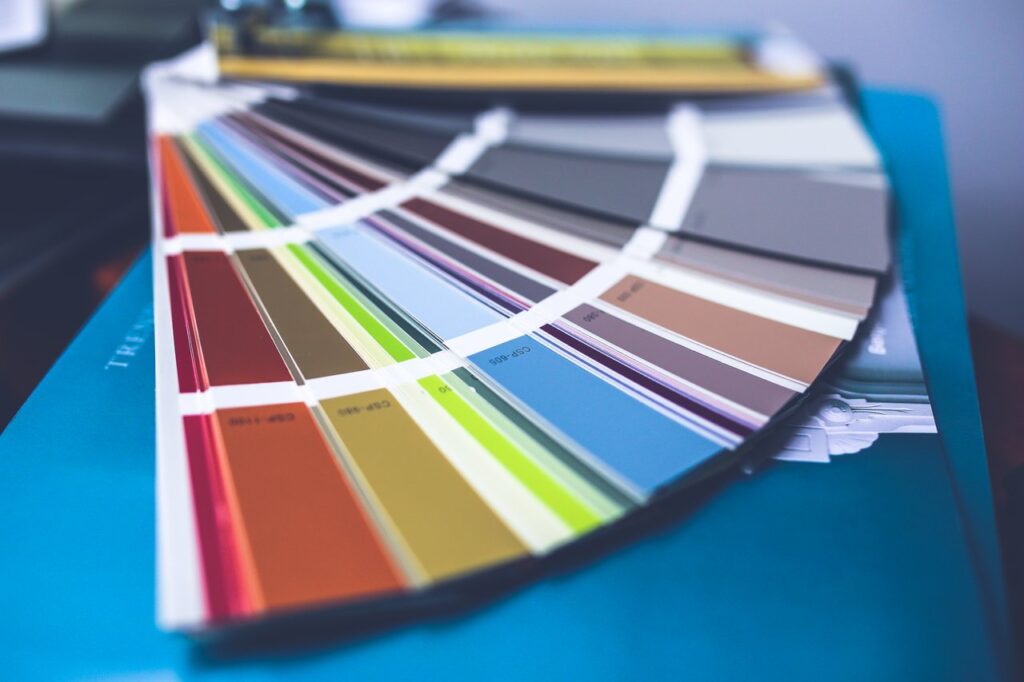
Colors can bring benefits to your brand identity. They convey universal emotions, which you can use to enhance your communication with your audience. Plus, your brand colors can affect your audience's perception of your brand. Knowing about their messages can help you pick the right ones for your brand, so here's a quick guide on the meanings of the most common colors:
Whatever colors you choose for your color palette, they must reflect your brand's purpose and intent. Check out Canva's suite of brand color palettes that can inspire your own. Using your color palette, you can differentiate your brand from your competitors. At the same time, you can build designs for your business that are unique to your brand identity.
One of the goals of having a brand identity is to achieve a cohesive look and feel across all your assets. A brand style guide helps ensure that you meet the qualities and standards of your branding for every design. It should cover the various elements of your brand identity, plus how and when to use them. Aside from that, a brand style guide includes the do's and don'ts of your brand identity design, from how your logo appears on an Instagram post to how you design your emails for your newsletter subscribers. By covering this information, you won't need to figure out how to create a brand identity in any future design, thereby generating a consistent audience perception.
After developing your creative assets, the next step is to bring them to your market. Brand strategies will support the growth of your brand awareness. You can start with your website design and your social media presence—these can communicate your brand identity to your target audience. On your website, your brand identity takes center stage. It can communicate your brand everywhere, from your site's color palette to product photos' style. Your website serves as an online portfolio that showcases your brand identity. Meanwhile, your social media platforms can bring you closer to your target audience. You can take this opportunity to introduce your brand's voice and appeal to a particular demographic. However, that's only the start. Even the frequency of your posts can speak volumes about your brand. Sprout Social has compiled studies on social media demographics—a resource that can inform you of your choice of social media platforms.
The last step must be a never-ending process. You can sustain your brand identity through brand monitoring, a process wherein you look out for mentions of your brand, online and offline. That way, you can see how consumers talk about you. And if you learn that you need to refine your brand, you can implement changes based on their feedback, whether to correct a mistake or improve your brand identity. By monitoring your brand, you'll ensure that you continue to keep its promises to your target audience.
Brand identity takes time to mold. On top of that, you'll have to frequently check in on it based on how your brand performs. However, your brand identity efforts can yield the best results, especially for a new business .It can leave a mark in your new customers' minds, forming a memorable brand that they won't trade for another. KDCI Outsourcing understands these challenges and processes. With that said, we can guide you on how to create a brand identity. Our logo and brand specialists can support your branding efforts while you'll have more time to focus on growing your new business. Discover the Benefits of Outsourcing Creative Services

With mid-year sales happening left and right, online shopping is just too hard to resist.On the bright side, it's even more convenient amidst the quarantine. On the downside, a virtual swipe of your payment card can potentially expose you to fraud and other data privacy threats.For your online shopping security, here are some tips, plus action items in case you become a victim of fraud.
Implement these precautionary measures before you add to cart and click "Buy Now."
Malware is the umbrella term for viruses, spyware, and other harmful software. Once they find their way into your computer, you're at risk of stolen sensitive information, such as your passwords and banking details.To prevent this, install an anti-malware program, such as Malwarebytes, Norton, and BitDefender. By doing so, you can protect your computer from attacks that can pose a threat to your security.
Well-known Ecommerce sites like Amazon, Lazada, and Shopee are dominating the online market for a reason. Aside from offering everything under the sun, they have earned the trust of consumers.

So, if you're looking up a specific item on Google, the safest route is to check it first on a familiar shopping site. And to be extra careful, read the domain name and look out for a padlock sign and an HTTPS in the address bar. Cyber criminals can also misspell a trusted site's domain for their benefit.
Your bank account is linked to your debit card—it's why you should never use it for your online transactions.Go for your credit card instead. Fraudsters can't use it to the extent that they can use your debit card and wipe out your bank account.
Beware of phishing attempts through email or phone. Never share your shopping site passwords, online banking logins, and card details with anyone. Banks and Ecommerce sites never ask for these sensitive information, so be wary when you encounter inquiries about them. One wrong share of this information can lead to unauthorized purchases.
A one-time password (OTP) is another security layer sent to your mobile to authenticate a login or an online transaction.If you find yourself receiving an OTP without making a recent transaction or login, don't share it with anyone and immediately change the password of the relevant account.
The ability to store your card information on Ecommerce sites is another convenience brought by online shopping. However, this high reward also poses a high risk. Once an individual gets access to your account, they can easily use your card for any purchase on that site.

To prevent a scenario like this, you have two options:
Rather than wait for your credit card bill every month, record your online transactions and keep copies of confirmation notices and order numbers.The best way to do this is to enable email notifications for every transaction you make online. Should you receive a message about anything unfamiliar, you can alert your card company immediately.
Say, you follow all precautionary measures against fraud, and you still find yourself becoming a victim of it. Don't panic—you can still do the following to prevent your situation from becoming worse:
Banks in the Philippines have a 24/7 hotline where you can report fraudulent activities. Plus, they can provide you with more details about the unfamiliar transaction.When calling your bank, take note of the reference number and the date and time of the call. These are helpful details should you need to follow up on your case.
One of the immediate actions you can do after falling victim to fraud is to have the card blocked. Banks such as Security Bank and BPI have provided this option to users of their online banking sites.You can also request your bank to block your card while alerting them about the fraudulent activity.
Here's the part where your record of online transactions comes in handy.Should you encounter any unfamiliar item, you can quickly alert your bank about the transaction.However, if you wait until your credit card statement arrives, you still have at least 30 days to inform your bank about any billing error or discrepancy, according to the Manual of Regulations for Banks.
Finding out that you have compromised accounts means that you need to change your passwords and PINs immediately. Doing so will help prevent more damage to your online activities.When creating your new password, use a password manager with a built-in password generator, such as LastPass and Bitwarden. That way, when you opt for a randomly generated password, you can store it safely in a virtual vault.
Most people can't resist the temptation of online shopping.However, you can never be too careful while making your transactions online. Cyber criminals are prevalent, especially in the middle of this pandemic. It's best to arm yourself with the tips above to defend yourself from fraudulent activities and strengthen your online shopping security.Must-Read: How to Secure Your Online Space While Working Remotely

One of the crucial assets in any business—whether big or small—is a graphic designer. And with remote work potentially becoming the new normal, having a remote graphic designer sounds like the best option.To help you get started, we put together the ultimate guide to finding the ideal graphic designer for your remote team.https://youtu.be/lqVgWeiIqRs
Based on a study done by Adobe, businesses with a firm grasp on design get more satisfied customers and more market share than those with an amateur approach. So, where do graphic designers come in? They help you cross the line between rookie designs that get no love from consumers to professional outputs that encourage your audience to take action. With that said, what exactly can graphic designers produce?
Here are the main types of designs that they can deliver for your business:
Brand identity is an essential part of establishing a new business like yours. It gives your brand an image and a voice through elements such as your logo and color palettes. Graphic designers usually take over these tasks. They can create a visual representation of your brand that will improve your chances of leaving a mark in your audience's mind. Even better, they can develop a consistent branding that can push your business on top of your audience's mind—fueling your brand recognition.
Adapting visuals for your marketing strategy is an advantage—from email newsletters and display banners for your digital campaigns to billboards and POS (point of sales) displays for your traditional advertising. It helps you in more ways than one, from grabbing your audience's attention to generating more social engagement. So, if you want to produce content that will resonate with your target consumers, graphic designers are the right people for this job.
From UI (user interface) to 3D modeling, a web design consists of the visual elements curated to create a satisfying digital experience. If you have an Ecommerce business, having a good web design can help you develop a nuisance-free shopping experience.
Traditionally, editorial layout design comprises newspapers, magazines, and brochures. In the digital world, it mostly covers ebooks, newsletters, and white papers. When doing this type of work, graphic designers consider how the text would look on a page with the background and images. They then produce the final output, which enhances readability without losing its visual appeal.
Most consumers base their purchasing decision on packaging design. It shows that packaging is a practical element that can impact your product's market performance. Graphic designers can develop packaging designs. With their help, you'll have the potential to create a lasting impression, grow your sales, and push your business ahead of your competition.
A graphic designer's responsibilities go beyond creating designs.

Here are the items you'll typically find in a job description for a graphic designer. We'll categorize them into Communication, Planning, Production, Quality Assurance, and Scaling Up.
What makes a graphic designer great? When screening your job candidates, it's best to look out for both soft skills and hard skills. The right mix of qualities and technical capabilities make up an ideal graphic designer.
Soft skills indicate how a person works and how they would interact with your team. The right graphic designer possesses the following qualities:
For a graphic designer, creativity might be the most important skill. Thinking outside the box is a must-do to convey ideas through his designs. With his creativity, he can look beyond the surface and explore the big picture and the minute details. As a result, he can create visuals that express ideas and concepts effectively—and aesthetically.
One of the significant responsibilities of a graphic designer is communicating with stakeholders. To achieve it, he should be capable of active listening. Listening for the sake of replying is a big no-no. Instead, he should know how to listen to understand. Plus, since he'll be working remotely, he must have above-average communication skills to avoid any confusion when discussing project details.
A graphic designer would sometimes need to work with other people in your business. He might have to collaborate with a copywriter to build a compelling ad or team up with another designer to produce a quarterly marketing campaign. With that said, a good graphic designer must be a team player. He should be able to work well with others, commit to his share of work, and provide recommendations that will benefit the entire team.
Juggling multiple projects at once is a common occurrence for a graphic designer. With each task having its due date, he would often encounter tight deadlines. A great graphic designer knows how to prioritize. He should allocate the right amount of time for each task without sacrificing the quality of his work.
This skill should come as second nature to a graphic designer. He must anticipate feedback—whether good or bad—whenever he shares his work with everyone on the team. If he can take constructive criticism without getting defensive, that's a sign of an ideal graphic designer. It indicates that he sees feedback as a way for him to improve his work.
Technology is always evolving, and that includes graphic design. The right graphic designer has the initiative to keep growing. For him, every design trend is a new opportunity to learn. Bonus points if he shares ideas with a creative community. That way, he can also learn from other graphic designers, which he can use to produce better designs.
Hard skills are the specific abilities required to perform a job. Here are the essential technical capabilities you should look out for:
Technology is an integral part of a graphic designer's job. So, he must be comfortable with a wide range of technology, from design software to CMS (content management system) platforms. Plus, it's good to find a graphic designer experienced in tools such as a drawing tablet or a studio camera. These provide added value that you can benefit from once they're part of your team.
Even before its smooth transition from Adobe Creative Suite, Adobe Creative Cloud has been every graphic designer's best friend. It can answer most of your design needs. The ideal graphic designer must be proficient in this bundle of applications, especially in Photoshop, Illustrator, and InDesign. However, Adobe isn't the only player in the market. In case you're using other applications, a good graphic designer must also display breadth and depth in his working knowledge on other design software such as Sketch and Google Web Designer.
Knowledge of fundamental design principles is a must-have for any graphic designer. Contrast, repetition, proximity, hierarchy, space, balance, alignment, and color are the basic principles that he should know by heart. Developing a keen eye for these visual elements propels a graphic designer into producing better and more visually appealing works.
Typography is crucial in developing designs, especially for those that contain text. A graphic designer skilled in typography should be familiar with fonts that go well together. He must understand the difference between sans and serif styles and know how to avoid typographical errors. Other hard skills would depend on your needs. These specializations might include:
Pro Tip: Check their portfolio! It showcases a candidate's previous works and indicates the technical skills they possess.
The digital age makes it easy to work with a graphic designer from anywhere in the world. With that said, we'll explore your options to find a remote graphic designer. We'll also share their estimated rates to help you see which solution would be the most cost-effective.
An in-house graphic designer works as part of your company—you consider him as your employee. This setup is ideal if you often need design outputs. But if you only want a short-time commitment, an in-house graphic designer may not be necessary. Aside from his salary, you'll have to shoulder software subscription fees as well as overhead costs, such as taxes and utilities. Average Cost: $3,800 per month
Design agencies are full of subject-matter experts. If you choose to partner with them, you'll have several expert designers working with you, depending on your project. On the downside, it's a costly solution. Plus, you'll only be one among their many clients. You might consider that as a disadvantage if you want a graphic designer to focus solely on your business. Average Cost: $7,500 per month
In various freelance websites, you'll find thousands of graphic designers. Some have sufficient experience to meet your expectations. But working with one means you only get what you pay for. You can't add new projects to what you originally agreed upon unless you provide another payment. On top of that, a freelance graphic designer is virtually a stranger. You run the risk of them disappearing without prior notice or facing disruptions like lack of punctuality or inability to meet deadlines. Average Cost: $20 to $150 per hour
Finding a graphic designer overseas is easier with the help of an outsourcing partner. Offshoring is the cheapest option, but you'll still get access to a rich talent pool similar to freelance sites and design agencies. You only have to pay for a fixed monthly rate, unlike with an in-house graphic designer. Your outsourcing partner will cover the rest—from labor costs and service fees to recruitment and HR. However, offshore staffing companies typically require a six-month to one-year minimum commitment. It's not the best option if you only need a remote graphic designer for one short-term project. Average Cost: $1,600 to $1,900 per month
Send us your email and we'll share with you our Offshore Staffing Services rate card.
One of the roadblocks in remote interviews is that you can't have a personal interaction with your job candidates. However, with the right questions, you can easily find the person fit for the role. So, here are some questions you can use when interviewing candidates for a remote graphic designer. For questions specific to remote work, you can also check out our other blog post: Must-Read: Five-Step Process for Screening Remote Employees
Listen to how they articulate their answer. Look out for any mention of the skills we listed above, both qualities and technical capabilities. Take note of the soft skills they list—it can indicate that these are the qualities they possess.
This question is a way to get to know your potential employee beyond their resume. They might see this as an opportunity to narrate their road to becoming a graphic designer. When they do so, enthusiasm for their profession must be evident in their answer.
A creative process is an essential tool for a graphic designer. Every candidate must have a detailed answer prepared for this question. It's your chance to get a peek inside their head and see how they generate ideas and create final deliverables.
Every graphic designer experiences roadblocks. However, great graphic designers have a process in place should they face one. Instead of waiting for inspiration to come around, they already have proactive strategies to deal with a creative block.
Graphic designers often work on multiple projects at once. So, a great designer must know how to prioritize work and perform well under time constraints. Some people have difficulty meeting due dates, while some prefer to work under pressure. Either way, see how confident they are in their ability to meet deadlines.
Great designers aren't too sensitive about their work. They appreciate constructive criticism and use that feedback to improve their output. If they show hesitance to get feedback, it might be a sign of an inflated ego or lack of self-awareness. You can follow-up this question with, "Tell me about a time you received hard criticism about your work." That way, you'll see how they deal with criticism in a real-world setup.
Great designers defend their work professionally and respectfully. If they disagree with the feedback, the key is to support their claim with data. Otherwise, they should be willing to yield to the point and adjust their work based on the feedback. The great finds are designers who believe enough in their work but also know when to concede should they need to make changes.
Audience feedback, click-through rate, and conversion rate are some of the metrics graphic designers can use to measure their designs' success. Even if they're not actively reviewing these metrics, a great graphic designer stays updated with these measurements. They use these data to improve their work.
Professionalism is when a designer can admit to their mistakes. Plus, they know how to be proactive in fixing their oversights. Listen carefully in case they tell a story relevant to the question. It shows that they had experienced it before and learned how to deal with these instances. Even better, they mention their actions to learn from that mistake and their process in place to avoid repeating it.
A graphic designer's day-to-day usually consists of individual work. However, they would sometimes need to work with non-design team members and stakeholders. They must be comfortable either way. Their answer will provide further insights where he'll more likely thrive. Plus, it's helpful in case you assign him to a solo or team-based project.
Every designer should be ready to showcase their best work. For each piece, you can ask them to explain the problem it meant to solve plus how they accomplished it. It's also a good way to gauge their presentation skills. Think of it as a preview of how they present their ideas to stakeholders.
For graphic designers, it's essential to stay on top of every trend in their field. It allows them to keep their designs fresh. Their answer to this question will show if they're passionate enough to follow updates about their specialization. Plus, it indicates their commitment to continuous learning, especially if they're part of a graphic design community.
The ideal graphic designer might be hard to find in various talent pools—you might encounter a skilled freelancer with no tolerance for feedback or a top-notch design agency with skyrocketing costs. However, finding the right person is crucial to your business, especially if you're only starting. It's worth investing your time to find the perfect fit for your team. Should you need a partner in looking for the best remote graphic designer, we can help. We'll support your search for a professional who can handle any type of graphic design, from digital to print. Find Remote Graphic Designers through KDCI

Having a good design is one of the essentials of an online shop. But with more entrepreneurs jumping in the online selling bandwagon, you need more than the basics. A user-centered Ecommerce web design can go beyond your customers' expectations and bring you benefits worth every investment.
For Ecommerce websites, aesthetic design isn't enough anymore.To attract and retain your site visitors' attention, you need to focus beyond your visuals—you need a user-centered design.
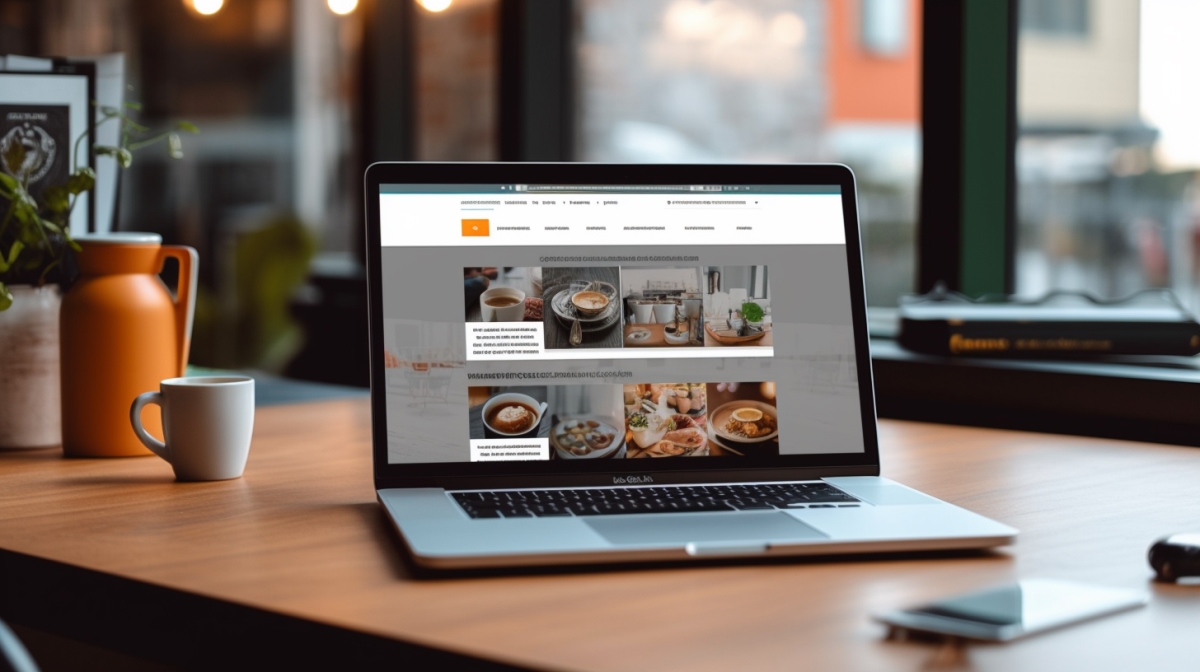
A cognitive scientist and usability engineer named Don Norman coined the term user-centered design. It aims to create a pleasurable experience for the user, beginning with the customer experience to the technology rather than the other way around. In general, designers implement it with the user experience in mind. They have two goals: to make the site more usable and useful, always keeping the user at the center of their process.
In Ecommerce, user-centered design seeks to improve the customer experience, from websites to apps. By adopting this process, you can curate experiences that show your understanding of your target audience. When you take your audience as the center of your design process, you can put yourself in their shoes. It allows you to generate insights about their shopping patterns and optimize touchpoints to meet their needs at every stage of their journey.
User-centered design can improve your website's interaction with your customers. Amidst the competition in the Ecommerce marketplace, it's the best next step you can take for your site. See these benefits once you build it into your website:
Among digital channels, search provides the best opportunity to meet and understand user intent. Consider this scenario: A user types a product name in a search bar. Whether for shopping, research, or informational purposes, they show intent the moment they go to a search engine. That's your chance to match what they're looking for.
As a business owner, you'll want to meet your audience's queries. With the right SEO strategy, you can rank high on the search engine results page (SERP) and up your chances of a potential visitor clicking on your listing. The higher you rank in the SERP, the wider your opportunity to generate brand awareness among your target audience.
How is this relevant to web design? Google evaluates if sites are easy to use. Their search algorithm considers the following factors that concern your web design:
Your site must appear correctly in different browsers.
Users can view and navigate your site through different device types and sizes.
Your page loading time must work well, even for users with slow internet connections.
These factors focus on one thing—user experience. When you meet these items, Google will recognize that your Ecommerce site puts user experience first.In turn, you'll see your listing rank higher in the SERP, resulting in two things: a higher organic impression share and a better opportunity to drive traffic to your site.
For Ecommerce sites, having a slow loading time is a big no-no. Let's look at some stats: Based on a study by KissMetrics, 47% of consumers expect a page to load in two seconds or less.
On top of that, if your loading time takes more than three seconds, you lose 40% of your visitors. A one-second delay can already result in 7% fewer conversions. A customer might be a few clicks away from buying a pair of shoes from your online shop, but if your product page takes five seconds to load, you might lose out on a sale.
Think of it this way: If you make $100,000 daily from your site but have a second of delay in your loading time, you could lose $2.5 million in your annual sales. A user-centered Ecommerce web design prevents this from happening at all. Its main goal is to turn your site into a usable and useful shopping experience, wherein your potential customers can quickly move from one page to another.
Meanwhile, you won't have any fear of losing them—your web design will allow you to have a fast loading speed that won't get in the way of your customers' shopping journey.
One of the biggest challenges you'll encounter as an Ecommerce business is cart abandonment. Baymard Institute gathered 41 different articles on cart abandonment. Based on their calculation, the average cart abandonment rate is 69.57%. That's close to seven lost sales out of ten potential customers.
Moreover, among the top triggers of cart abandonment, a "too long/complicated checkout process" ranks third. You'll see that user-centered design is the answer to having a below-average cart abandonment rate and improving your site's profitability. It can increase consumer satisfaction as you assist your customers until the last part of their shopping journey. So, start by removing friction in your checkout process.
With a distraction-free and no-nonsense checkout, you can allow your shoppers to complete their purchase and grow your conversions by 36%. Consider it the best experience you can provide to your customers to make up for the lack of physical interaction.
Must-Read: How to Optimize Your Product Pages for Conversions
You might be thinking, "how can my site design affect my customers' trust?" According to researchers in the United Kingdom, 94% of users who distrust a website have stated that the reason they do is site design. That's why you need to design your website in a way that will foster your customers' trust in your business.
You can start by showing them that you understand them as your customers. With a user-centered design, you can develop a site that will always keep them as a top priority. Empathy is valuable in this process. When you communicate your understanding with your target audience, they'll see that you care about them. When you empathize with them, you can build an ethical design that respects your shoppers' privacy and prioritizes their experience.
Your Ecommerce web design will reflect that you understand your customers' expectations when they're shopping online. Once they see in your site design that you value them, they'll start trusting you. This trust can majorly impact your customers' behavior. The more trust they have in you, the higher your chances of making huge sales. In the long run, your customers will see you as an online shop that's worth building a business relationship with.
Your website provides your brand with an opportunity to shine. It's a direct representation of your Ecommerce business. Think of it this way—your website is a stage and the spotlight is on your business. With a user-centered design, you can bring a positive light to your online store as your site helps generate a good impression on your potential customers.
Your target audience can see this in various elements, from your SERP ranking to your quick loading time to your seamless checkout process. The moment they realize that you focus your site design on them and their experience, the returns can be long-term. Your site visitors turn into customers. After going through a positive customer experience, they can become your advocates. Let them do a little word-of-mouth marketing, and you'll soon see your customer base increasing.
People love to share positive experiences with businesses—even more often now that we have social media. Take this opportunity to develop a user-centered design that will leave you looking better in the eyes of your current and prospective customers.
User-centered web design can bring wonders to your Ecommerce business. It's not a must-try anymore—it's a must-have that will allow you to stay one step ahead of your competition and stand out with your brand. Now that you've learned its benefits, the next step is to get the right web designer in your team.
As an outsourcing company, we provide Ecommerce outsourcing services for web design. Our UI and UX designers will guarantee that your site focuses on your user, and we can turn the benefits above into a reality for your business.

The Philippines has recently entered more than 100 days of quarantine, making it the longest quarantine period in the world. People are now experiencing a profound burden of extreme self-isolation that can lead to what experts call “Quarantine Fatigue.”Quarantine fatigue leaves us with a growing sense of non-productivity, repetitiveness, loss of many things in our old life, and loss of excitement and newness in our day.Despite being faced with uncertainty, learning to cope with it is possible. Here are some things you can do:
These uncertain times could result in the feeling of being out of control. To prevent this, identify an activity that's within your control. You can set short-term goals such as cleaning out your closet, doing ten push-ups per day, or reading a non-COVID-19 related article. These can provide a sense of accomplishment that can help you deal with uncertainty.
Sometimes in our efforts to cope, we tend to cover it up with positivity and ignore our frustrations and sadness. If you acknowledge and validate these feelings, it will provide relief and reduce the power these feelings have over you.Now is also an excellent time to practice journaling. By the end of the week, take 15 to 20 minutes to read each entry. You can also take time to vent out to a friend or family member to avoid feeling alone.
Being stuck at home on your phone or computer every day gives you way too much time to absorb information — both positive and negative. This can lead to information overload and can fuel your negative emotions, as most things on the internet are lately filled with bad news.Schedule some time off the internet, especially social media. You can uninstall the apps to prevent temptation. During your downtime, you can do something else, like watch a movie or series, clean your room, or get some sunlight by a window.
Working from home might blur the boundaries between work and life. As you continue with the remote work setup, remember to keep a personal time for yourself. It can help you avoid experiencing job burnout or losing quality time with your friends and family.You can try meditating, exercising, or reading a book if you want to shut off from the digital world for a little while. If you're feeling a little social, you can organize a game night with your friends or have a Netflix binge party with your family.
Because of the uncertainty of the duration of the quarantine period, it has become a necessity to form a new routine to help you get through each day. But following a routine is not as easy as it sounds. It needs acceptance, discipline, and determination.For a task to become a routine, you have to successfully do it for 90 days (approx. 3 months) without fail. The best way to achieve this is to plan out your days and commit to a schedule. This includes sleeping and waking up at the same time so that your body can adjust quickly.With these tips, you can prevent experiencing quarantine fatigue. Let's continue to hope that we'll soon get through this pandemic and return to our normal lives.


What started out as a few agents, has grown into an invaluable partnership with KDCI. With more than 40 team members, we are lucky enough to count as part of our Cedar Family. Thank you so much KDCI for making our Company better!

We have found KDCI to be a consistently reliable partner, always willing to ‘go the extra mile’ to ensure our valued customers receive the best possible service.

KDCI plays a very important role in our catalog and content operations. They are responsive, kind, and always willing to help us as much as possible. We have been working together for more than 4 years, and we hope our partnership will be even more fruitful in the future.

Having collaborated with KDCI.co for our creative needs, I can confidently attest to their unparalleled expertise and dedication. Their team consistently delivered innovative solutions that not only met, but often exceeded our expectations. Their professionalism and attention to detail are commendable.

KDCI were able to grow with us with any future requirements. We have a lot to do when it comes to our business, and everytime we come back, they're right there with us and able to deliver.

KDCI's team has been instrumental in helping us not only modernize our platforms but also increase the experiences for the customer, and to deliver on the tsunami of content that came their way.

We had a lot of difficulty finding qualified talent in the United States. Honestly, I don't think we had thought about outsourcing at all as a potential option, but we were very open to it once we heard about it. We love our KDCI team. They're just like a regular part of our team, it's just that they're thousands of miles away.

It's been five years since we started working with KDCI, and it just keeps getting better and better. We've grown together and achieved a lot of shared success. Overall, they're incredibly professional yet fun to work with. We are incredibly happy to have found them.

We're so glad we partnered with KDCI to develop a unique platform that delivers personalized customer experiences without compromising functionality or security. It was an amazing experience, I won't hesitate to start another project with them again.